Overview
This guide walks through some settings for Obsidian.
Attachments
By default, all attachments to Markdown files in Obsidian get put inside the root vault folder, like this:
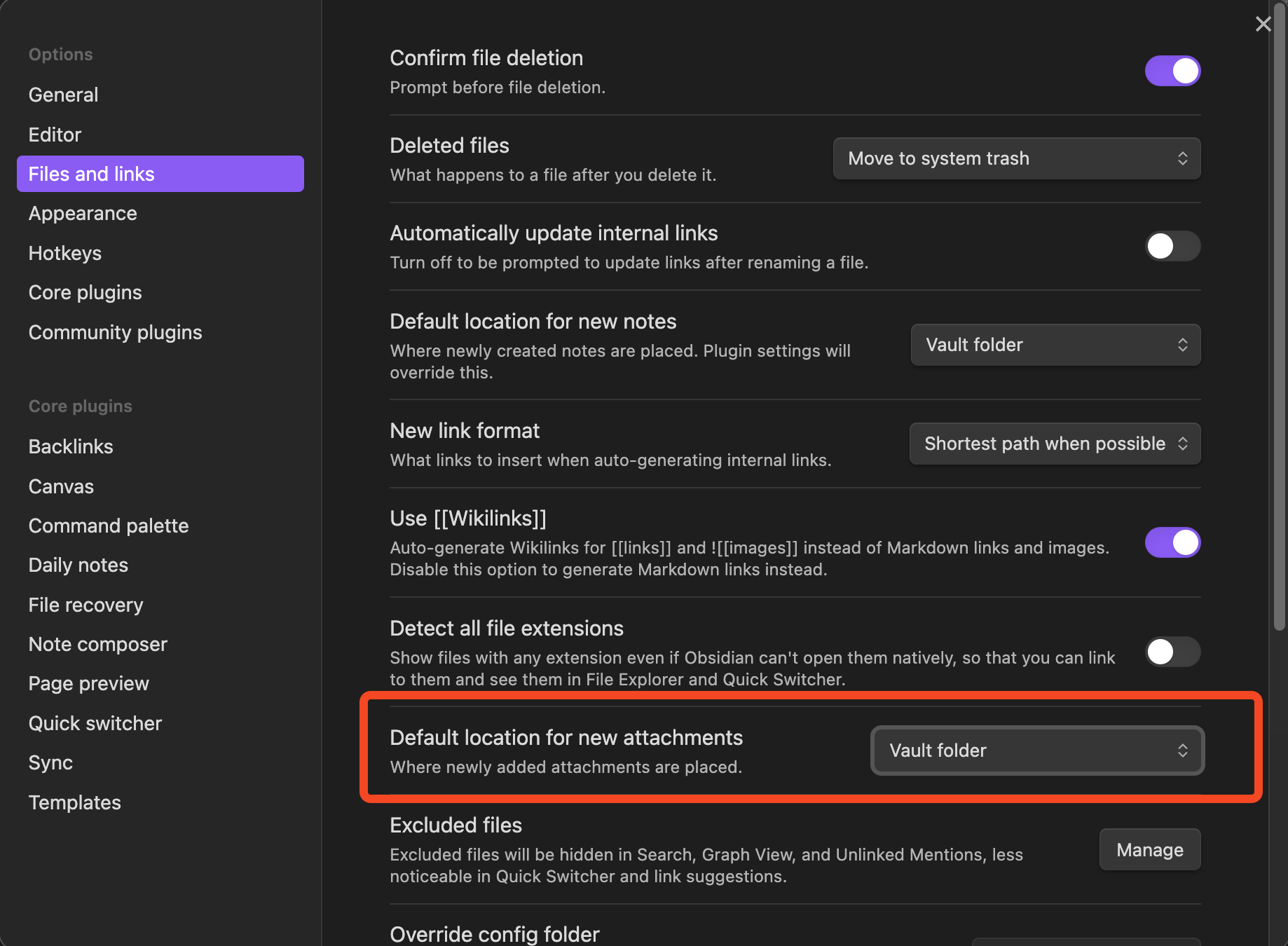
To organize the files better, we’ll create a folder called “assets” and set that to be the folder for attachments.
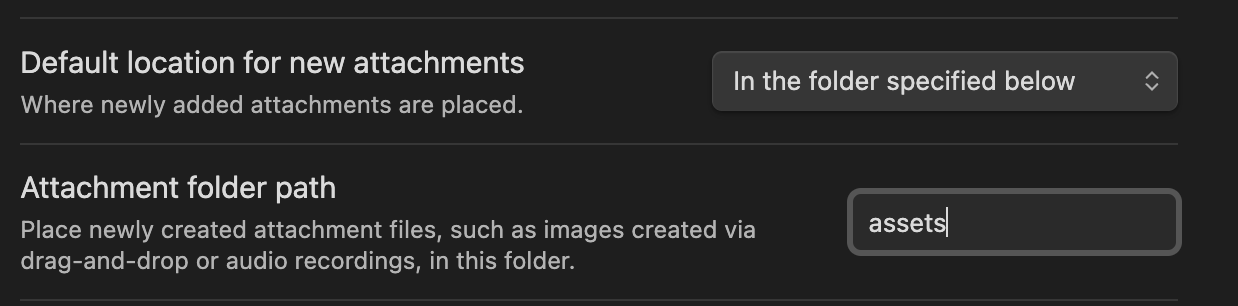
Go to Settings > Files and links and set the settings to this:
Link Formats
Default:

New:

The format when embedding goes like this: 
Post Links
In Obsidian, a post normally uses the Wikilinks format, like this: [[Example Post]].
Here is a link to home: Home.
In Obsidian, the link looks like this: [Home](../index.html)