Digital Ocean Database Security
Here’s a quick guide on securing a Database in Digital Ocean once you’ve set one up.
After Setup
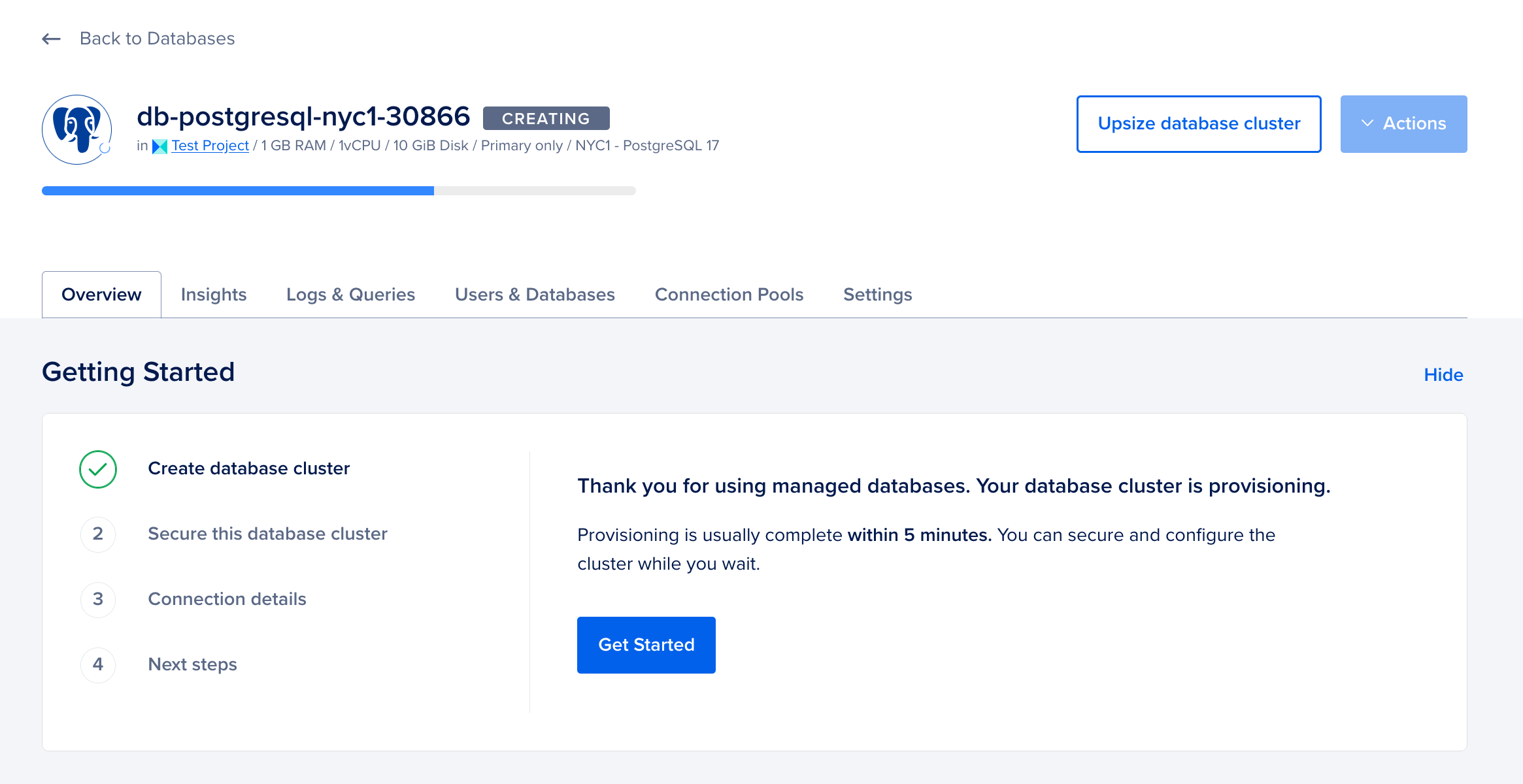
After you’ve created a Database, you’ll be shown this page.
Restricting Access
By default, your database will be available on the internet for anyone to connect to. That’s not good for security reasons, so the first thing to do is to set up the database to only connections from specific IP addresses, and everything else will be blocked.
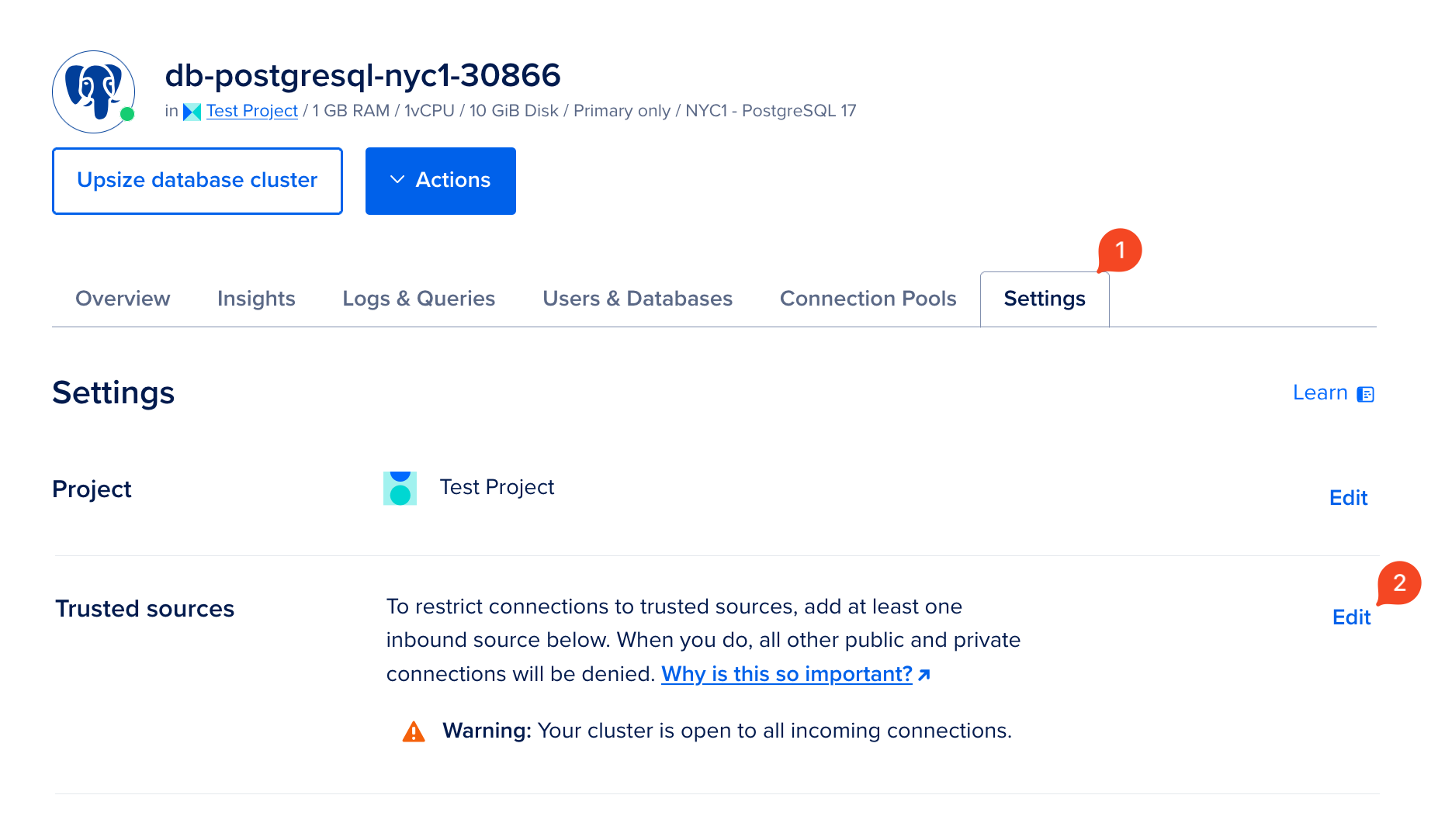
Go to Settings and Edit your “Trusted Sources”.
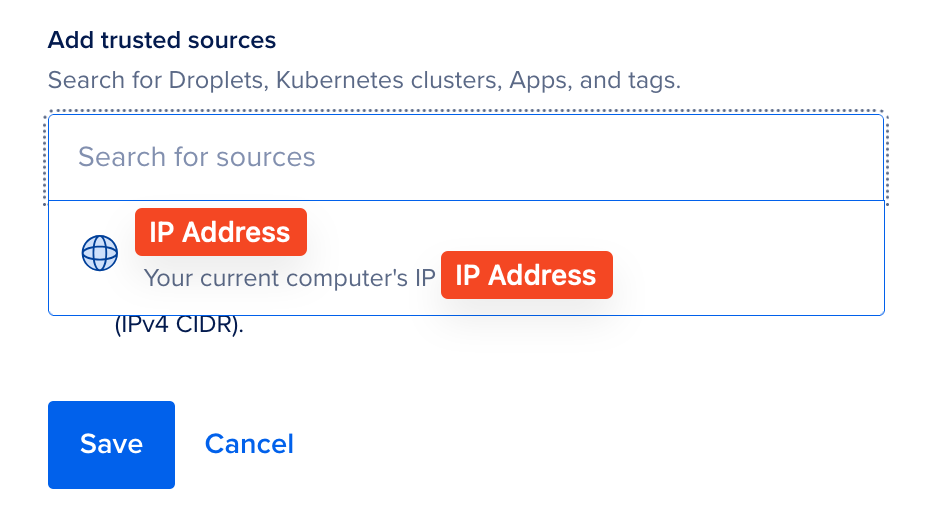
Here, you can enter in any IP address that you want to be able to connect to your database. For now, just put in your current IP address (which Digital Ocean suggests), so you can connect to it. Hit save.
Conclusion
That’s it for now. The default password info is secure, it’s really the IP address that’s important.